

Many small business owners know the pain of juggling endless email tasks while just trying to keep pace with customer demands. The manual process drains your time and often leads to missed opportunities. The truth is, email automation reduces effort in managing communication, freeing you to focus on what really matters like sales and customer relationships. This guide clears up myths about automation and shows how the right approach can bring personalized, timely engagement without sacrificing your unique brand voice.
Table of Contents
- Email Automation Defined And Common Myths
- Types Of Email Automation For Businesses
- How Automated Email Campaigns Operate
- Top Benefits And Real-World Applications
- Common Mistakes And How To Avoid Them
Key Takeaways
| Point | Details |
|---|---|
| Email Automation Benefits | Automating emails saves time, increases conversion rates, and enables scalability without extra effort. |
| Correct Setup is Crucial | Mismanagement or neglect can lead to ineffective automation; regular monitoring and adjustments are essential. |
| Personalization Matters | Effective email automation relies on proper segmentation to tailor messages, enhancing customer engagement. |
| Maintain a Human Touch | Avoid over-automation; balance automated communications with personal interactions for high-value prospects. |
Email Automation Defined and Common Myths
Email automation is simply software that sends targeted emails on your behalf based on triggers or schedules you set. Rather than manually crafting and sending every message, you define the conditions (“when a prospect signs up, send them this welcome email”), and the system handles the repetitive work. Think of it as hiring a tireless assistant who never sleeps, never forgets, and never gets frustrated with routine tasks.
Here’s what makes this practical for your business: you set up a workflow once, and it runs continuously. A prospect lands on your website at 2 AM, downloads your guide, and your automation immediately sends them a personalized follow-up. Meanwhile, you’re sleeping. That’s the power of email automation—it works around the clock without your constant attention. Research shows that email automation reduces effort in managing communication, handling everything from personal information management to task coordination, freeing you to focus on strategy instead of execution.
Now let’s address the myths that hold many business owners back. The most pervasive one? “Email is dead.” This simply isn’t true. Email remains vital for customer communication, and when automated correctly, it delivers consistent engagement without the constant manual effort. Another common misconception is that automation feels impersonal or robotic. The reality is the opposite. Automation allows you to send highly personalized messages at exactly the right moment—something manual emailing actually prevents you from doing at scale. You can’t personally reach hundreds or thousands of prospects with perfect timing. Automation can.
Other myths worth dismissing: automation is too complicated to set up (it’s not—most platforms are designed for business owners, not developers), and automation sends too many emails (you control the frequency and triggers completely). The final myth? That automation works alone. It doesn’t. Email automation is a tool within your broader strategy. It amplifies what you’re already doing right. If your emails aren’t compelling, automation amplifies uncompelling messages. But if your messaging resonates and your timing is right, automation multiplies your results exponentially.
Pro tip: Start by automating just one simple workflow—your welcome series for new subscribers—before expanding to complex nurture sequences. This lets you see immediate results and builds your confidence before tackling more sophisticated automation.
Types of Email Automation for Businesses
Email automation comes in several distinct flavors, each designed to solve different business problems. The most common type is triggered email sequences, which fire off based on specific actions your prospects or customers take. A visitor downloads your lead magnet? They get an automated welcome email. They abandon their shopping cart? An automated reminder pulls them back. These sequences work because they respond to real behavior, not just a calendar date. You’re meeting people exactly where they are in their journey.
Another powerful type is personalized content delivery, where automation tailors messages based on user preferences, past actions, or demographic information. Instead of sending the same email to everyone, you segment your list and deliver different content to different groups. A prospect interested in pricing gets one version of your email, while someone interested in case studies gets another. This approach multiplies your relevance without multiplying your workload. Modern automation systems can now leverage advanced AI and personalization techniques to generate responses that feel genuinely human, adapting style and content to match individual recipient context rather than sending generic templates.
You also have reminder and deadline automation, which keeps your business running smoothly behind the scenes. Event registration coming up? Send reminders at strategic intervals. Customer contract expiring soon? Automated notification prevents renewal mishaps. These types handle repetitive but critical communication that would otherwise slip through cracks. Triggered email workflows across business operations demonstrate how automation adapts to varied communication needs, from recruitment through customer retention. The beauty is that you set these up once and they run perpetually.
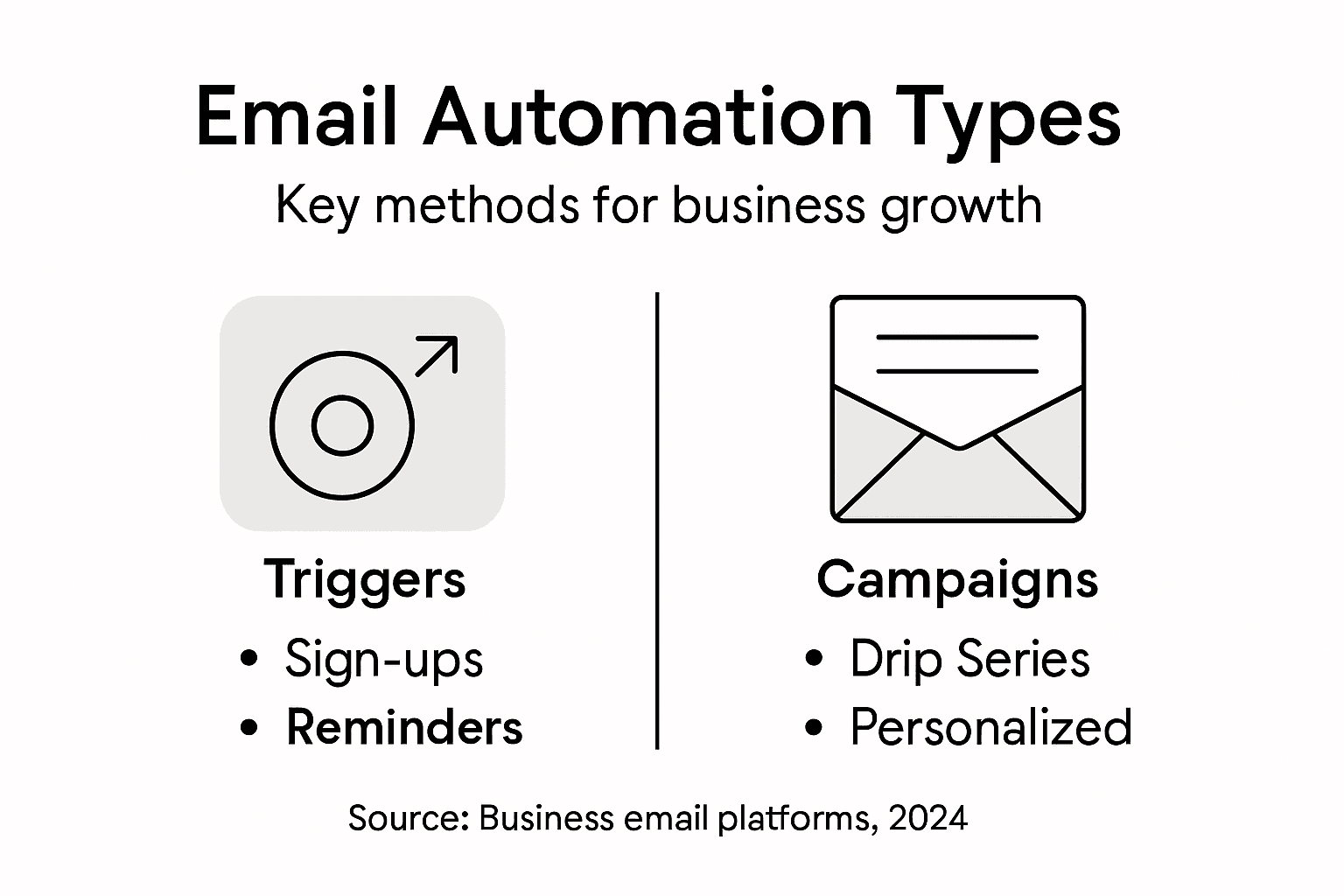
Then there’s drip campaigns, which spread content over time according to a schedule you define. Day one, send an introduction email. Day three, send a problem-focused email. Day seven, send your offer. These sequences nurture prospects gradually rather than overwhelming them with information all at once. Each email builds on the previous one, creating a natural progression toward your desired outcome. The key difference from triggered sequences is timing: drip campaigns follow a calendar schedule, while triggered sequences respond to behavior.
Here’s a comparison of the main types of email automation and their primary business benefits:
| Automation Type | Trigger Mechanism | Target Outcome | Best For |
|---|---|---|---|
| Triggered Sequences | User actions | Immediate personal follow-up | Engaging new leads |
| Personalized Delivery | User data & behaviors | Tailored content experience | Improved relevance |
| Reminder/Deadline | Scheduled events | On-time notifications | Missed appointments, renewals |
| Drip Campaigns | Scheduled intervals | Progressive nurturing | Building customer trust |
Pro tip: Start with triggered sequences around your highest-value actions first, like welcome emails for new subscribers or abandoned cart reminders, since these see the fastest ROI and require minimal setup complexity.
How Automated Email Campaigns Operate
Automated email campaigns work through a system of triggers, rules, and workflows that you set up once and then let run automatically. Here’s the basic mechanics: you define a trigger (a specific action or event), connect it to an email or series of emails, and specify conditions for when those emails should send. When a prospect meets those conditions, the automation fires. For example, trigger: “new subscriber joins list.” Rule: “send welcome email immediately.” Result: that new subscriber receives your welcome email within seconds, without you lifting a finger.
The underlying technology uses rules and triggers to generate personalized emails based on content from your email templates and customer data, automating complex administrative tasks while keeping you in control of what gets sent. Think of it as giving your email system a set of instructions: “If X happens, do Y.” The system watches continuously for X to happen, and the moment it does, Y executes automatically. This is where the real power lives. You’re not sending emails at specific times. You’re responding to customer behavior in real time, around the clock.
Most automation platforms work with what’s called a workflow, which is essentially a visual map of your campaign. You might have a workflow that looks like this: new subscriber signs up, send welcome email after 5 minutes, wait 2 days, send educational email, wait 3 days, send your offer email. Strategic triggers and segmentation enable personalized messages delivered at optimal times based on behavioral data, allowing marketing teams to nurture leads and retain customers simultaneously. Each step happens automatically based on the rules you set. No manual sending. No forgetting. No guesswork about timing.
Segmentation plays a crucial role here too. Rather than treating your entire email list the same way, you divide it into smaller groups based on specific criteria. Maybe some subscribers are interested in your premium product, others in your budget option. Your automation sends different emails to each group, increasing relevance dramatically. You can also build logic into your workflows: if someone clicks a link in email one, send them email A. If they don’t click, send them email B. This creates branching paths, where each subscriber follows a unique journey through your campaign based on their individual actions.
Pro tip: Map out your first workflow on paper before building it in your platform, noting every decision point and where different subscribers will branch off based on their behavior, ensuring you avoid creating unnecessarily complex sequences that confuse your automation.
Top Benefits and Real-World Applications
Let’s talk about what email automation actually delivers for your bottom line. The first major benefit is time savings. Your team spends less time on repetitive tasks like sending welcome emails, follow-ups, and reminders. Instead of your sales rep manually emailing every lead five times, the system does it automatically. That frees them to focus on higher-value work like closing deals or refining your offer. A small business owner managing everything alone suddenly has breathing room to think strategically instead of being buried in daily email tasks.

The second benefit is increased conversion rates. Timely and relevant communication drives engagement and revenue growth in both B2B and B2C businesses. Because your emails arrive at exactly the right moment based on subscriber behavior, not just when you remember to send them, people are more likely to open, click, and buy. A prospect who downloads your guide at 11 PM gets a welcome email immediately, when they’re still in learning mode. That’s timing you cannot replicate manually. Your conversion rates climb because relevance climbs.
The third benefit is scalability without extra effort. As your email list grows from hundreds to thousands to tens of thousands of subscribers, your workload doesn’t grow proportionally. You send the same welcome sequence to your first subscriber and your millionth subscriber using the exact same automation. Email automation reduces manual workload while increasing communication relevance and timeliness, allowing your business to nurture larger audiences without hiring additional staff.
Real-world applications span industries. E-commerce companies use automation for abandoned cart recovery, capturing sales that would otherwise vanish. B2B software companies nurture leads through long sales cycles with educational content dripped over weeks. Service-based businesses automate appointment reminders and follow-ups. A financial advisor might automate a quarterly portfolio review email to all clients. A consultant might send automated follow-up sequences after discovery calls. The common thread: any repetitive, time-sensitive communication becomes a candidate for automation. Done right, automation increases engagement, reduces costs, and grows revenue without requiring you to work longer hours.
This table summarizes top benefits of email automation alongside real-world use cases:
| Key Benefit | Description | Real-World Application |
|---|---|---|
| Time Savings | Reduces manual email workload | Automated lead follow-ups |
| Increased Conversions | Enhances relevance and timing | E-commerce abandoned cart recovery |
| Scalability | Handles growth without added staff | Onboarding large subscriber lists |
Pro tip: Identify your single biggest time drain in email communication this week, then automate just that one process first; tracking the time saved and revenue generated gives you concrete proof of automation’s value before rolling it out further across your business.
Common Mistakes and How to Avoid Them
The biggest mistake business owners make with email automation is treating it like a “set it and forget it” system. You build a workflow, launch it, and assume it will perform perfectly forever. Reality is different. Automation without ongoing attention becomes a liability. Your emails might be going to inactive subscribers, or your messaging might have stopped resonating with your audience six months ago. The fix is simple: monitor your automation performance consistently. Track open rates, click rates, and conversions. When performance dips, investigate and adjust. Your automation should evolve as your business and audience evolve.
Another critical error is poor segmentation. Sending the same email to your entire list regardless of who they are or what they care about is like shouting the same message to a crowded room and expecting everyone to listen. Proper segmentation and respecting user preferences are essential for ensuring automation enhances rather than detracts from the customer experience. A prospect interested in your entry-level product has different needs than someone researching your enterprise solution. Segment your list by interests, behavior, purchase history, or demographics. Then create different automation sequences for each segment. This dramatically increases relevance and conversion rates.
A third mistake is over-automating and losing the human touch. Some business owners automate every single email, creating robotic sequences that feel impersonal and cold. Using AI as an assistant rather than a replacement maintains clear human judgment in messaging and prevents miscommunication. The balance is this: automate the repetitive, time-sensitive communications, but keep humans in charge of major customer interactions. Your automated welcome series is fine. Your automated follow-ups after someone abandons their cart are fine. But a high-value prospect calling for a consultation should get a personal phone call or hand-crafted email, not an automated response.
Finally, many business owners neglect compliance and list hygiene. They automate emails to people who never signed up to hear from them, or they ignore requests to unsubscribe. This tanks your reputation and invites legal trouble. Always verify that everyone on your list explicitly opted in. Always honor unsubscribe requests immediately. Always comply with regulations like CAN-SPAM and GDPR. Clean your list regularly, removing inactive subscribers who haven’t engaged in months. This keeps your sender reputation strong and your automation legitimate.
Pro tip: Audit your existing email sequences this week by opening three random emails from each automation workflow and asking yourself whether they feel personalized and valuable or generic and spammy, then adjust messaging based on your honest assessment.
Unlock the True Power of Email Automation for Your Business
Are you struggling to consistently engage your audience or finding it hard to turn leads into customers without endless manual emails? This article revealed key challenges like managing time-consuming email sequences, avoiding impersonal robotic messaging, and ensuring your campaigns actually convert. Email automation offers a way to save time, increase conversion rates, and scale your efforts without sacrificing the personal touch. But setting up effective workflows and personalized triggers can feel overwhelming.
At emailedgar.com, we understand these obstacles and are dedicated to helping business owners like you transform your email list into a reliable 24/7 sales machine. Our platform guides you through building automated sequences that deliver timely, tailored messages based on real customer behavior. We provide expert coaching to avoid the common pitfalls of automation including poor segmentation and stale content. Imagine waking up each morning knowing your welcome emails, follow-ups, and drip campaigns are working seamlessly to nurture prospects and boost revenue.
Take control of your email marketing now with proven strategies and user-friendly tools from emailedgar.com. Start by automating your first campaign today and watch your engagement and sales grow without extra hours spent. Visit emailedgar.com to access free resources and discover how to make email automation work for your business.
Frequently Asked Questions
What is email automation?
Email automation refers to software that sends targeted emails automatically based on triggers or schedules you set, allowing you to engage with your audience without manual effort.
How does email automation improve customer engagement?
Email automation enhances customer engagement by delivering personalized messages at the right moment, based on user behavior, which increases the likelihood of conversions and customer satisfaction.
What types of email automation are available for businesses?
Common types of email automation include triggered sequences, personalized content delivery, reminder and deadline notifications, and drip campaigns, each designed to address specific business needs and improve communication efficiency.
What are some common mistakes to avoid with email automation?
Common mistakes include treating automation as a ‘set it and forget it’ solution, poor segmentation of your audience, over-automating to the point of losing the human touch, and neglecting compliance and list hygiene.