

Choosing the right tools is often what separates a thriving email list from a wasted effort. Small business owners and digital marketers across the United States know that a solid email platform lays the groundwork for automated customer engagement and real sales. This guide helps you cut through the noise, highlighting the features and best practices that actually move the needle when building your own automated email list system.
Table of Contents
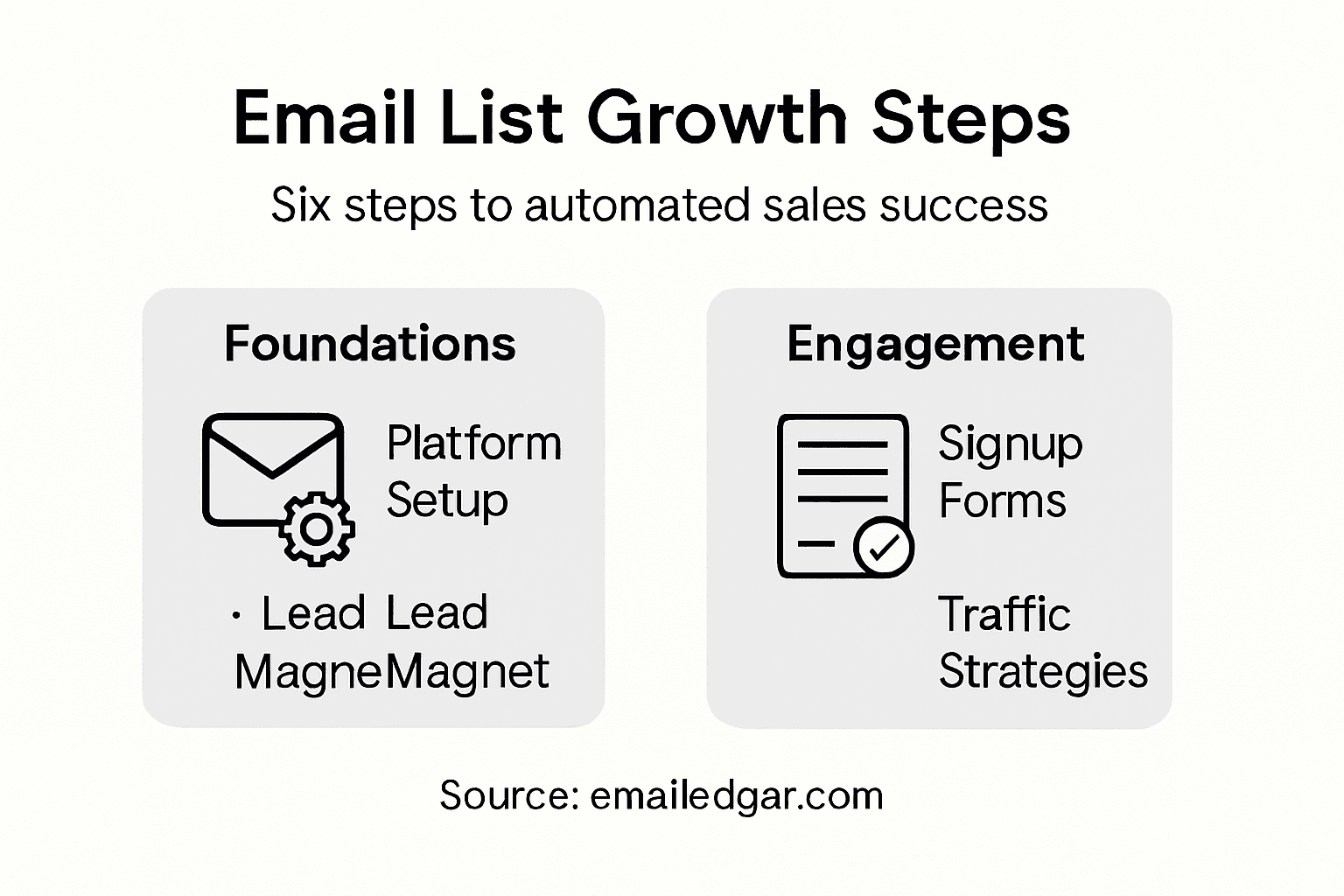
- Step 1: Set Up Your Email Marketing Platform
- Step 2: Create Compelling Lead Magnets
- Step 3: Design Optimized Signup Forms
- Step 4: Drive Targeted Traffic to Your Forms
- Step 5: Automate List Growth and Engagement
- Step 6: Verify List Quality and Performance
Quick Summary
| Key Insight | Explanation |
|---|---|
| 1. Choose the Right Email Platform | Select a platform that fits your business size and integrates with your tools for optimal efficiency. |
| 2. Create Strong Lead Magnets | Offer valuable resources addressing your audience’s pain points to encourage email signups. |
| 3. Simplify Signup Forms | Keep forms concise, asking only for essential information to boost conversion rates. |
| 4. Drive Targeted Traffic | Utilize appropriate channels to attract engaged visitors, ensuring your forms are seen by the right audience. |
| 5. Automate Engagement Sequences | Set up automated workflows to nurture subscribers, enhancing engagement without manual intervention. |
Step 1: Set Up Your Email Marketing Platform
Setting up your email marketing platform is your foundation for everything that follows. This step determines how easily you’ll manage your growing list, automate campaigns, and track results that actually matter to your bottom line. Think of this as building the engine that runs your automated sales machine.
Start by choosing a platform that aligns with your business size and budget. You have two main paths here. Some small business owners prefer all-in-one solutions that handle email plus landing pages and lead capture. Others want a focused email platform that does one thing exceptionally well. When evaluating options, look at email list building software comparison tools to understand what features actually deliver value versus what’s just noise. Check whether the platform integrates with your existing tools like your website builder, CRM, or shopping cart software. If it doesn’t play nicely with what you already use, you’re creating extra work for yourself.
Once you’ve selected your platform, create your account and move through the setup wizard. You’ll connect your domain email address, set your company information, and configure basic sender details. This matters more than you might think. People buy from people and companies they recognize, so use a professional email address from your own domain, not a generic Gmail account. Upload your logo and brand colors so every email reflects who you are. Next, set up your first email list and confirm that subscribers can verify their email addresses through a confirmation link. This double opt-in process is critical because it keeps your sender reputation clean and ensures people actually want to hear from you.
The platform will walk you through creating your first automation workflow or welcome sequence. Don’t panic if this feels overwhelming initially. Start simple with a basic welcome email that goes out immediately after someone subscribes. You can build more sophisticated sequences later. Test everything by subscribing to your own list with a test email address and clicking through all your links. A broken link in your welcome email kills trust faster than you can send a follow-up.
Pro tip: Set up a separate test list within your platform where you can experiment with new designs, automations, and content before sending to your real subscribers. This prevents expensive mistakes and lets you refine your approach without damaging your sender reputation.
Step 2: Create Compelling Lead Magnets
A lead magnet is your bait. It’s the valuable thing you offer in exchange for someone’s email address. Without a strong lead magnet, you’re asking people to trust you before you’ve earned it. This step transforms your platform into an actual lead generation machine by giving people a reason to join your list.

Start by identifying what your target audience actually needs right now. Not what you think they should want, but what keeps them up at night. Are they struggling with time management, confused about pricing strategy, or looking for a quick win they can implement today? Your lead magnet must address a specific pain point your ideal customers experience. The most effective lead magnets come in several formats. E-books and checklists work well for established businesses, while templates and quick guides appeal to people who want immediate value. Webinars and free trials work brilliantly if you have the resources to deliver live interaction. Pick a format that matches your strengths and your audience’s preferences. A contractor might offer a cost estimation template. A marketing consultant might create a social media calendar. A coach might record a video training series. The key is delivering something genuinely useful that your audience can’t easily find elsewhere.
Make your lead magnet visually appealing and easy to consume. A poorly designed PDF or a rambling video loses people instantly. If you’re creating an e-book, use clear headings, white space, and professional formatting. Keep it concise. Thirty pages of information overwhelms prospects. Five to ten pages of pure value converts better. For checklists, make them actionable and specific. Instead of “Improve Your Email Marketing,” try “7 Subject Line Fixes That Boost Open Rates by 23 Percent.” The specificity builds credibility and sets expectations.
Next, build a simple landing page dedicated to this lead magnet. This page has one job only: get people to trade their email for your offer. Include a clear headline explaining the benefit, a brief description of what they’ll get, a compelling call to action button, and your email capture form. Keep the form short. Ask for their first name and email. Asking for phone number or company size before you’ve proven value causes abandonment. When people see clear benefits and understand exactly what they’re receiving, they convert. Test different headlines because this matters more than you realize. “Free Marketing Template” gets ignored. “Copy This Template Our Agency Used to Land 12 New Clients This Month” gets clicks. You can test different headlines to find what resonates with your specific audience.
Promote your lead magnet across the channels where your audience already spends time. Share it on social media, mention it in blog posts, include a popup on your website, and reference it in any existing email you send out. Some small business owners only promote it once and wonder why signups trickle in. Your lead magnet needs repeated exposure before people convert. Think of it as building awareness. Someone sees your webinar announcement on Monday, ignores it. Sees it again on Thursday and clicks. That’s normal.
Pro tip: Create multiple lead magnets targeting different audience segments or pain points rather than betting everything on one offer. A contractor might offer one magnet for homeowners and another for property managers. This approach captures more of your total addressable market and gives different prospects an entry point that speaks directly to their needs.
Here’s a quick comparison of popular lead magnet formats and their ideal use case:
| Lead Magnet Type | Best For | Audience Motivation | Example Benefit |
|---|---|---|---|
| E-book | In-depth problem solving | Detailed learning | Gain expert insights |
| Checklist | Fast tips | Actionable steps | Quick process improvement |
| Template | Immediate implementation | Save time | Ready-to-use documents |
| Webinar | Live engagement | Interactive experience | Direct Q&A with expert |
| Free Trial | Product demonstration | Hands-on exploration | Test before buying |
Step 3: Design Optimized Signup Forms
Your signup form is where the magic happens. It’s the moment someone decides whether they trust you enough to give you their email address. A poorly designed form kills conversions faster than a bad subject line. This step focuses on creating a form that feels frictionless and actually gets people to hit submit.
Start with the fundamental rule: less is more. Every field you add drops your conversion rate. You need their first name and email address. That’s it. Stop there. I know you want to know their company size, industry, and budget. Resist that urge. You can gather that information later through surveys or by watching their behavior. Right now, your job is to get them on your list. Once someone subscribes and reads your welcome email, they’re warmed up and willing to share more. Keeping forms short with minimal required fields reduces friction and dramatically improves completion rates. Some small business owners add social login options like “Sign up with Google” which speeds things up even more. This simple choice can increase signups by 20 to 30 percent because people hate typing passwords.
Next, focus on clarity and visual hierarchy. Your form title should clearly state what someone gets. “Join Our Newsletter” is bland and forgettable. “Get Weekly Sales Tips Delivered to Your Inbox” tells people exactly what value they receive. Use large, readable fonts and plenty of white space around your form. Make your call to action button prominent and action oriented. “Subscribe” or “Join” beats generic buttons like “Submit.” Use a contrasting color that stands out from the rest of your page. Green or orange buttons typically outperform gray or neutral colors. Include clear, visible field labels above each input box, not inside the field itself. Labels inside disappear when someone starts typing, causing confusion. Make sure your form works perfectly on mobile devices. Most people check email on their phones, so your form needs to be responsive and easy to fill on a small screen.
Build trust by being transparent about privacy. Include a short privacy statement near your submit button. Something like “We respect your privacy. Unsubscribe anytime.” People worry about spam. Showing them you’re not a spammer removes a major objection. Use inline validation so people know immediately if they made a mistake typing their email. Red error messages work, but having the form catch mistakes as they type feels smoother. Test your form on different browsers and devices before going live. A form that breaks on Safari or looks weird on Android costs you signups.
Consider adding social proof if you have it. A small line that says “Join 5,000 other small business owners” or “Trusted by companies in 47 states” builds confidence. Even if your numbers aren’t huge yet, something like “Join a growing community of entrepreneurs” works without specific numbers. Test your form with a few people before launching it live. Watch someone unfamiliar with your business fill it out. Do they pause anywhere? Do they leave? That feedback is gold.
Pro tip: Run A/B tests on your signup form by changing one element at a time such as button color, copy, field labels, or form length. Track which version converts better and use that winner as your baseline. Test again with a new variation. Over three to six months, these small optimizations compound into 50 to 100 percent higher conversion rates without spending extra money on traffic.
Step 4: Drive Targeted Traffic to Your Forms
Building a beautiful signup form means nothing if nobody sees it. This step is about getting the right people in front of your forms. Not just any traffic, but people who actually care about what you offer. Quality traffic converts. Random traffic wastes your time.
Start by understanding where your ideal customers already spend their time. Are they scrolling Facebook during lunch breaks? Searching Google for solutions to specific problems? Hanging out in LinkedIn groups? Once you know where they are, that’s where you need to show up. The best approach combines multiple channels because relying on one traffic source is risky. If Facebook changes its algorithm, your traffic disappears. If you diversify, you survive. Use organic methods like search engine optimization and content marketing for long term stability. A blog post about a topic your customers search for drives free traffic month after month. Social media sharing creates compound growth over time. Paid channels like Google Ads and Facebook advertising offer faster results when you need immediate volume. You can combine organic and paid strategies to attract visitors who show genuine intent for your offerings. Start with one channel you understand well. Master it. Then add another. This prevents overwhelm and lets you track what actually works.
When driving traffic, focus relentlessly on relevance. Someone searching “how to increase email open rates” is ready to learn. Someone randomly clicking an ad about email marketing might not be. Target your campaigns to specific audiences using demographic and behavioral data. Facebook lets you target people by interests, job title, company size, and behaviors. Google Ads targets based on what people actually search for. LinkedIn targets by profession and seniority. Use these tools to narrow your audience to people most likely to become customers. A small campaign reaching 1,000 qualified people beats a massive campaign reaching 10,000 random people.
Consider using exit intent technology that captures visitors before they leave your website without subscribing. These popups appear when someone moves their mouse toward the close button. Yes, they feel slightly aggressive, but they work. Some businesses increase signups by 40 percent just by adding exit intent forms to their website. Combine this with retargeting ads that follow people around the internet after they visit your site but don’t subscribe. Someone who visits your site once is warmed up. Show them a retargeting ad on Facebook three days later and they’re more likely to convert. This technique reminds people about you at the exact moment they’re making browsing decisions.
Track everything. Use UTM parameters in your links so you know which traffic sources send the best subscribers. A traffic source that sends 100 people but only 5 convert is worse than one sending 20 people with 8 conversions. Most email platforms and websites let you track this automatically. Check your analytics every week. Double down on what works. Kill what doesn’t. After 30 days, you’ll see clear patterns about which channels deliver engaged subscribers.
Pro tip: Create dedicated landing pages for each traffic source rather than sending everyone to your homepage. Someone clicking your Facebook ad should land on a page about the specific benefit mentioned in that ad. Someone arriving from a Google search should see a page optimized for that exact search term. This relevance boost increases form conversions by 30 to 50 percent compared to sending all traffic to the same generic page.
Step 5: Automate List Growth and Engagement
Automation is where your email list transforms from a static collection of names into a dynamic sales machine that works while you sleep. This step teaches you how to set up systems that nurture subscribers automatically, keeping them engaged without requiring you to manually send email after email. Think of automation as hiring a tireless employee who never forgets a followup.
Start by building a welcome sequence that fires automatically when someone subscribes. This is your first impression after they join your list. Most small business owners send one welcome email and call it done. That’s leaving money on the table. A proper welcome sequence runs over three to seven days and includes multiple touchpoints. Day one sends a warm welcome confirming they made the right choice subscribing. Day two delivers on the promise of your lead magnet. Day three tells a story about why you started your business or a specific problem you solved. Day four offers a low commitment way to engage like scheduling a call or visiting your website. Each email builds trust and moves subscribers closer to buying. Set these emails to trigger automatically based on subscription date, not on your calendar. Someone subscribing on Tuesday gets the same sequence as someone subscribing on Sunday.
Next, create segmentation rules that organize subscribers into groups based on their behavior and interests. Using automation to segment your list ensures every subscriber receives relevant messages instead of generic broadcasts. Segmentation might look like this: people who clicked the productivity link in your welcome email get emails about time management. People who clicked the sales link get emails about revenue generation. Someone who opened every email in your welcome sequence gets labeled as highly engaged and receives more aggressive sales offers. Someone who didn’t open anything goes into a re-engagement sequence designed to spark their interest or give them an easy exit. This precision targeting prevents subscribers from feeling spammed and keeps your sender reputation strong.
Implement triggered automation based on specific actions. When someone downloads your second lead magnet, trigger a thank you email plus a series designed to upsell them. When someone clicks a link to your pricing page, trigger a sequence asking if they have questions. When someone hasn’t opened an email in 30 days, trigger a re-engagement campaign offering them fresh content or asking if their interests have changed. These triggered sequences feel personal and timely because they respond to what people actually do, not what you think they should do. Most email platforms handle all this automatically once you set it up.
Add strategic delays between emails so subscribers don’t feel overwhelmed. Send email one immediately. Wait 24 hours, then send email two. Wait another two days, then send email three. This pacing prevents subscribers from unsubscribing and gives them time to actually read and think about your message. Too many emails too fast looks desperate. The right spacing feels like a genuine relationship.
Monitor automation performance constantly. Track open rates, click rates, and conversion rates for each automated email. If a particular email consistently gets opened at half the rate of others, that’s a signal the subject line or content needs work. Kill underperforming emails and test new versions. Your automation should evolve as you learn what resonates with your specific audience.
Pro tip: Set up a behavioral trigger that sends a special offer or exclusive content to subscribers who have been on your list for exactly 30 days without making a purchase. This captures people at the moment when they’ve built enough trust to buy but may have forgotten about you. Timing this trigger precisely often converts 15 to 25 percent of subscribers who would have otherwise left your list.
Step 6: Verify List Quality and Performance
A large email list means nothing if half the addresses are dead or the subscribers don’t care about your messages. This step focuses on cleaning and monitoring your list to ensure you’re sending emails to people who actually engage. Quality beats quantity every single time in email marketing.
Start by understanding the key metrics that reveal list health. Open rate shows what percentage of your subscribers opened your email. A healthy open rate ranges from 20 to 40 percent depending on your industry. Click through rate shows how many people clicked a link in your email. This matters more than opens because it proves engagement. Unsubscribe rate tells you if your content is matching expectations. A sudden spike in unsubscribes signals that something went wrong. Bounce rate measures emails that couldn’t be delivered. Hard bounces come from invalid addresses that no longer exist. Soft bounces happen when the recipient’s inbox is temporarily full. Track these metrics in your email platform’s dashboard every single week. Spot trends early before they become problems.
Next, implement a list cleaning routine. Regularly removing invalid and inactive email addresses keeps your sender reputation strong and improves deliverability. Start by removing hard bounces immediately. These addresses are dead weight. Remove emails that soft bounced multiple times. If someone’s inbox is constantly full, they’re probably not checking it anyway. Then handle inactive subscribers. Create a segment of people who haven’t opened an email in 90 days. Send them a re-engagement email with a strong subject line asking if they want to stay subscribed. Give them one clear choice to click if they want to remain on your list. Anyone who doesn’t click that link gets removed. This might sound harsh, but inactive subscribers hurt your metrics and reduce your sending reputation. Email service providers actually reward you for having engaged lists. Your emails land in the inbox more reliably when your list is clean.
Monitor deliverability closely. Some of your emails might be landing in spam folders instead of inboxes and you wouldn’t even know unless you check. Use a tool to monitor whether your emails hit the inbox or spam folder. If you notice a sudden drop in inbox placement, check three things. First, did your email content trigger spam filters? Avoid excessive capitalization, too many exclamation marks, and aggressive sales language. Second, are your sending patterns suspicious? Sending 10,000 emails in one hour looks different than spreading them over a day. Third, check your sender authentication. Your email platform should help you set up SPF, DKIM, and DMARC records that verify you’re a legitimate sender. These technical setup items matter more than most people realize.
Build in quarterly list audits where you review overall health metrics. Compare this quarter to last quarter. Is your open rate climbing or falling? Are you getting more clicks? Are unsubscribes increasing or staying stable? These trends tell a story about whether your content resonates. If open rates dropped 5 percent, investigate why. Did you change your sending time? Did your subject lines shift? Did subscriber expectations change? Use this data to improve. The goal isn’t perfection. The goal is continuous improvement month after month.
Segment your list based on engagement level. Highly engaged subscribers who open most emails and click regularly deserve different treatment than moderately engaged subscribers. Send your highly engaged group more aggressive sales offers and exclusive opportunities. Send moderately engaged subscribers educational content designed to rebuild interest. This approach respects subscriber preferences and maximizes conversion from people actually paying attention.
Pro tip: Set up a win back campaign that targets subscribers who haven’t engaged in 180 days. Send them a special offer saying something like “We miss you. Here is 20 percent off if you purchase in the next week.” Anyone who doesn’t respond to this gets removed. This approach recovers revenue from dormant subscribers while cleaning your list of permanently disengaged addresses in one strategic move.
To help you monitor email list health, here’s a summary of key metrics and why they matter:
| Metric | What It Measures | Healthy Range | Business Impact |
|---|---|---|---|
| Open Rate | Percentage of emails opened | 20%–40% | Measures subscriber interest |
| Click Rate | Percentage clicking links | 2%–10% | Indicates real engagement |
| Bounce Rate | Undelivered emails | <2% hard, <5% soft | Affects sender reputation |
| Unsubscribe | Recipients leaving list | <0.5% per email | Signals content mismatch |
| Deliverability | Inbox vs. spam placement | Aim for 98% inbox | Drives campaign success |
Unlock Your Email List’s Full Potential with Expert Automation
Building and growing an engaged email list takes more than just collecting addresses. The article highlights key challenges like creating compelling lead magnets, designing frictionless signup forms, and driving targeted traffic that converts. If you are struggling to automate list growth or create an effective welcome sequence that nurtures subscribers into loyal buyers you are not alone. At emailedgar.com, we specialize in transforming your email list into a powerful automated sales machine that works around the clock without extra effort.
Ready to stop struggling with manual follow-ups and uncertain results Start your journey today at emailedgar.com where you will find proven strategies, expert coaching, and resources tailored to help you build high-quality lists and launch automation that drives consistent revenue. Discover how to implement segmentation, triggered emails, and engaging sequences that keep your subscribers connected and buying. Don’t wait until your competitors outpace you Automate your email marketing success now by visiting emailedgar.com and see how our approach makes building your list and increasing sales easier than ever.
Frequently Asked Questions
How do I choose the right email marketing platform for my business?
Select an email marketing platform that fits your business size and budget. Look for features relevant to your needs, like list management and automation capabilities, to ensure smooth operation. Compare options using email list building software comparison tools to find one that integrates well with your existing tools.
What is a lead magnet and how do I create one?
A lead magnet is a valuable offer that you present in exchange for someone’s email address. Identify your target audience’s specific pain points and create a compelling lead magnet, like a checklist or template, addressing those issues. Aim for quality over quantity, keeping it concise yet highly useful.
How can I optimize my email signup forms to increase conversions?
Design your signup forms to be simple and clear, asking only for essential information like first name and email address. Use persuasive language for the form title and button, ensuring the layout is visually appealing and easy to navigate, especially on mobile devices. Test your form’s performance and iterate based on results to boost conversion rates.
What strategies can I use to drive targeted traffic to my email signup forms?
Identify where your ideal customers spend their time online, whether it’s on social media or searching on Google. Promote your signup forms across these channels using a mix of organic and paid strategies. Consider creating dedicated landing pages for each traffic source to enhance relevance and improve conversion rates.
How do I set up automated email sequences for list engagement?
Create a welcome sequence that automatically sends emails over several days after someone subscribes. Plan the sequence to include multiple touchpoints that build trust and keep your new subscribers engaged. Use automation tools within your email platform to ensure this process runs seamlessly without manual effort.
How often should I clean my email list, and what metrics should I look for?
Regularly clean your email list to maintain its quality and improve deliverability, ideally conducting a review every few months. Monitor key metrics like open rates, click rates, and unsubscribe rates to identify inactive subscribers. Target those who haven’t engaged recently and re-engage them with a compelling offer before removing them from your list.